Data Club & BCR
Pilot proposal

We catch bcr.ro visitors who are about to leave and bring them back on their next visit

The pilot runs in two places where visitors decide today: the loan calculator and the George account pages. In both places Meiro catches the visitor who is leaving without continuing to George, and greets them on the homepage with what they were doing when they come back.

Website onlyThe pilot needs nothing in the George app and no internal data.
One clear numberWe count how many more visitors continue to George than in a control group.
A building blockThe web profiles from the pilot are the starting point for connecting the website with George.
Part 1 · Loan calculator

A visitor calculates a loan and leaves without continuing to George

The calculator runs at https://george.bcr.ro/simulare-credit. A visitor who calculated an instalment has shown the strongest intent anywhere on the website.

Step 1 · We catch

The visitor sees their own numbers once more

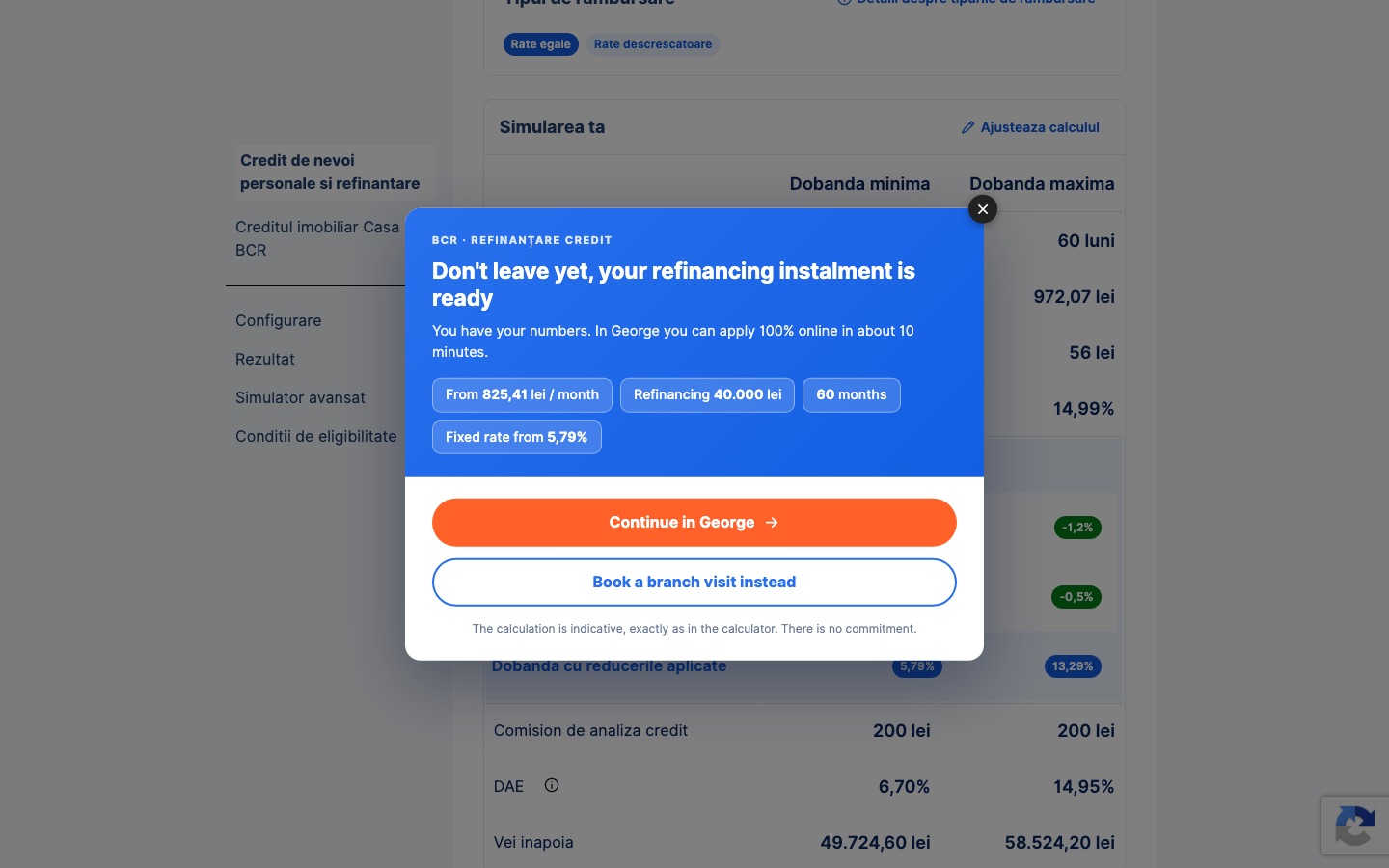
When the visitor leaves the result without clicking Către George, a window shows their amount, period and instalment with a button to George.

On a computer the window opens when the mouse leaves the page. On a phone it slides up over a third of the screen when the visitor scrolls up fast or does nothing for 20 to 30 seconds after the result.

An exit-intent window on the BCR calculator with the visitor's own numbers and a button Continue in George.
Step 2 · We bring back

The homepage continues where the visitor left off

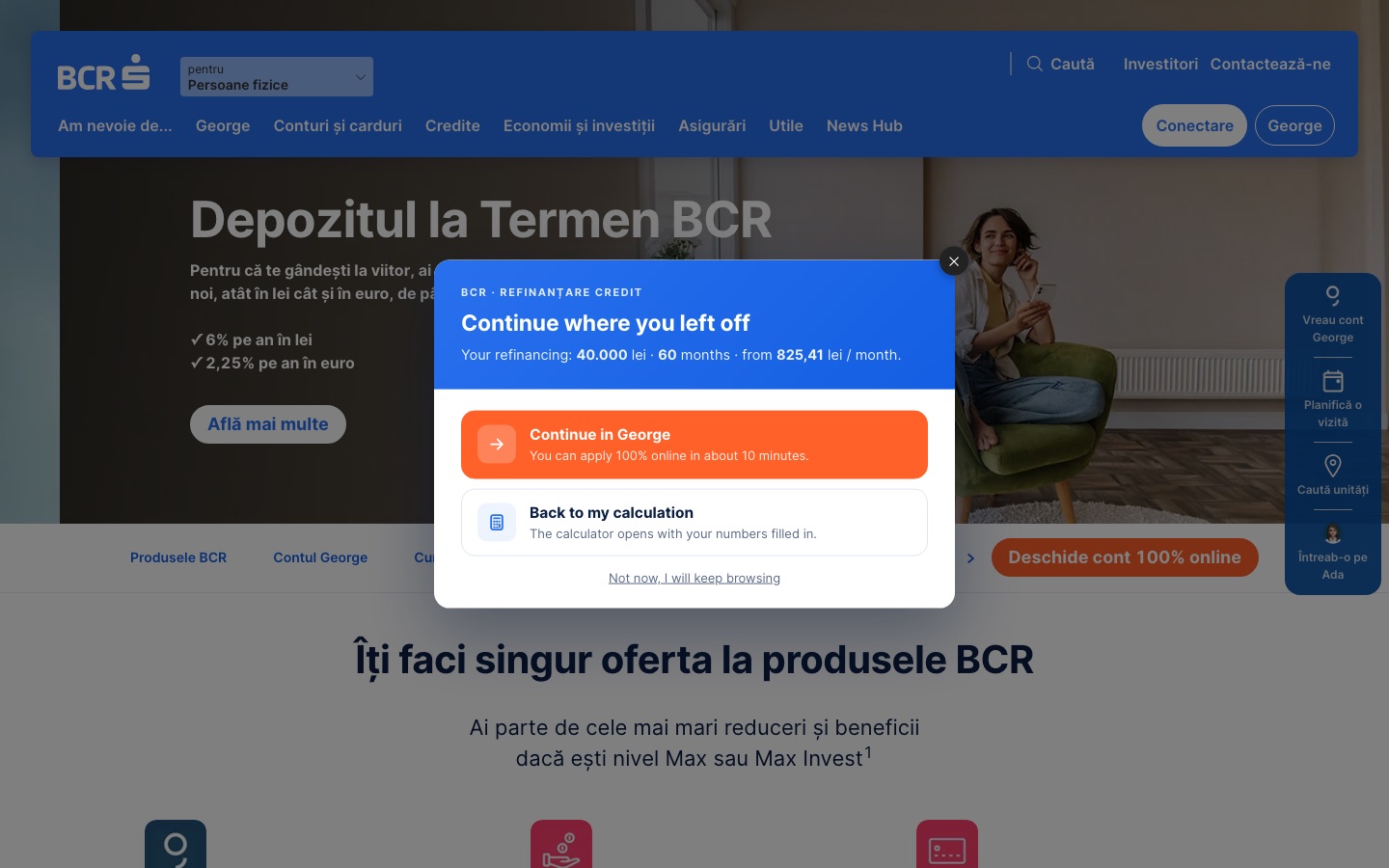
When the visitor comes back to https://www.bcr.ro/ro/persoane-fizice, a banner shows their calculation and opens the calculator with the same numbers filled in.

The calculator does not read numbers from a link, so the Meiro script would fill them into your form. This needs your approval. Without it, the banner shows the numbers and opens an empty calculator.

A banner on the bcr.ro homepage: Continue where you left off, with the visitor's refinancing amount, period and instalment.
Part 2 · George account pages

A visitor reads about the George account and leaves without opening it

This is the example you gave us on the call: visitors on the current account page who are about to leave.

Step 1 · We catch

The visitor sees the offer of the page they are leaving

The window repeats the headline of the page and offers the same button as the page. It adds no offer that the page itself does not make, and you approve every text.

We run it on the account pages with enough traffic for a reliable result. Today we see these three:

Step 2 · We bring back

The homepage offers the account the visitor looked at

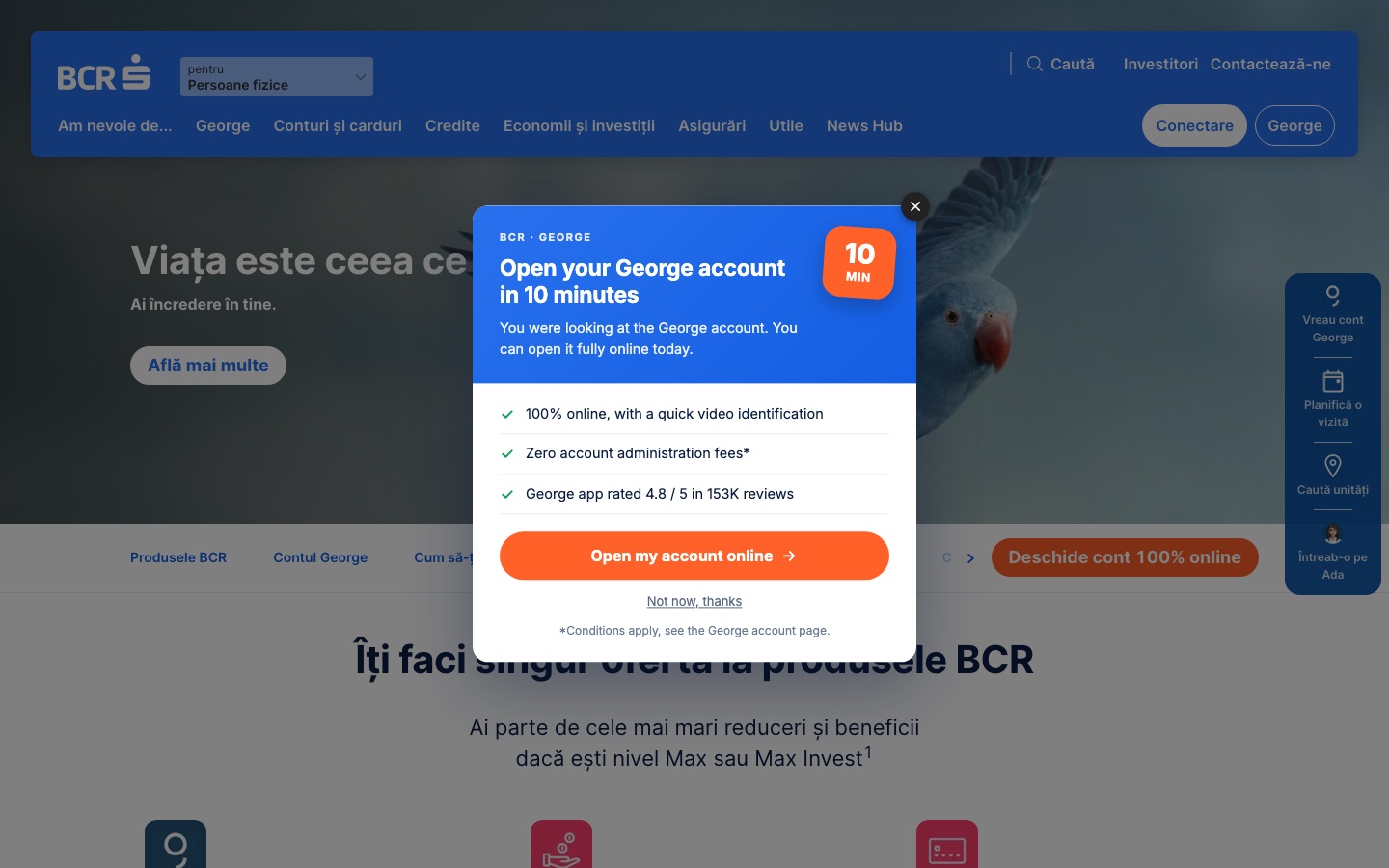
When the visitor comes back to the homepage without having opened an account, a pop-up offers to open the George account online and leads back to the account page.

A visitor sees only one return banner per visit. If they used the calculator and the account page, we agree with you which banner comes first.

The bcr.ro homepage with a pop-up that offers to open a George account online.
Measurement

One control group shows what Meiro brought

What we count

We count the share of visitors who continue to George within 7 days. We report the calculator and the account pages separately, and computers and phones separately.

Against whom

A random part of visitors sees no banner at all. A cookie keeps them in that group for the whole test, so the difference shows what the banners added.

How we keep it clean

We agree the method with you before the start and check it with a test run without banners. Nothing changes during the test, and other tests on the same pages pause.

Plan

The test runs for two weeks

We set the exact length from your traffic, so that the result is reliable.

Week 0We agree the method, the texts and the access.
Week 1Your web team adds the Meiro script, and we check the data with a test run.
Weeks 2 and 3The banners run, and nothing changes.
Week 4We hand over the result and discuss the next step.
What we need from you
  • Your web team adds the Meiro script through GTM on bcr.ro and on the calculator.
  • You give us a bcr.ro subdomain for the script, because the calculator only allows bcr.ro addresses.
  • Your DPO approves one consent category in the cookie dialog.
  • You approve the banner texts and the filling of the calculator form.
  • You pause VWO tests on the tested pages during the test.
What we would like to know
  • How many visitors get a result in the calculator each week, and how many of them use a phone?
  • How many visitors come to each George account page each week?
  • Which account page did you mean in your example?
  • Does a click to George count as bringing the visitor back for you, or do you need an e-mail or an opened account?
Next step

The pilot prepares the ground for connecting the website with George

Meiro keeps every visitor who calculated a loan or looked at the account as a profile. These profiles are what we later connect with the loan application in George, which we describe separately with the list of prerequisites you asked for.